Back to previous page
Wells Fargo Home Page
  • Search Sign On
  • Personal
  • Investing & Wealth Management
  • Business
  • Commercial Banking
  • Corporate & Investment Banking
    • ATMs/Locations
    • Customer Service
    • About Us
    • Español

Debit card questions

Exit Page

You are leaving the Wells Fargo website

You are leaving wellsfargo.com and entering https://support.apple.com/. Although Wells Fargo has a relationship with this website, Wells Fargo does not provide the products and services on this website. Please review the applicable privacy and security policies and terms and conditions for the website you are visiting.


Cancel Continue

Exit Page

You are leaving the Wells Fargo website

You are leaving wellsfargo.com and entering a website that Wells Fargo does not control. Wells Fargo has provided this link for your convenience, but does not endorse and is not responsible for the products, services, content, links, privacy policy, or security policy of this website.


Cancel Continue

Exit Page

You are leaving the Wells Fargo website

You are leaving wellsfargo.com and entering a website that Wells Fargo does not control. Wells Fargo has provided this link for your convenience, but does not endorse and is not responsible for the products, services, content, links, privacy policy, or security policy of this website.


Cancel Continue

© 1999-2026 Wells Fargo. All rights reserved. NMLSR ID 399801

Resolving issues with your card

How do I report a lost or stolen debit or ATM card?

Contact us right away when your card is lost or stolen.

Sign on to Wells Fargo Online® to request a replacement card.

Or call us at 1-800-TO-WELLS (1-800-869-3557) for personal debit or ATM cards.

For business debit or ATM cards call 1-800-CALL-WELLS (1-800-225-5935).

Note: If you lose your card while traveling outside the United States, you have two options:

  1. Call us collect, then follow the voice instructions:
    1. If you lose your personal card: 1-925-825-7600
    2. If you lose your business card: 1-916-480-3190
    3. Find international access codes to use to contact our toll-free customer service numbers
  2. Sign on to your Wells Fargo Mobile® app to request a replacement card.

You can request that your replacement card be mailed to your travel destination.

Remember, your card comes with Zero Liability protection at no extra cost, which means you will be reimbursed for promptly reported unauthorized card transactions, subject to certain conditions.

How do I replace a damaged debit card?

If your card is not functioning properly or is damaged, request a replacement card. Sign on at wellsfargo.com/replacemycard, use your Wells Fargo Mobile® app, call the number on your card, or visit any Wells Fargo branch. If your current card was customized via the Card Design Studio® service, your replacement card will have the same image.

You will receive a new card with a new expiration date and security code within 5 to 7 calendar days. Your card number will not change, and your current PIN will continue to work with your new card. If you have added your card to a digital wallet and you are in possession of your device (your device is not also lost or stolen), we will update your digital wallet with your new card information so that you can continue using your digital wallet while you wait for your new card to arrive.

What if I never received my card?

It usually takes 5-7 calendar days to receive your replacement card. If you think that your card should have arrived by now, sign on to www.wellsfargo.com/replacemycard to request a replacement card or call us:

Personal debit or ATM cards

1-800-TO-WELLS (1-800-869-3557)

Business debit or ATM cards

1-800-CALL-WELLS (1-800-225-5935)

How do I turn my card on or off?

If you have misplaced your card and need time to find it, you can temporarily turn your card off to help prevent unauthorized card transactions. Please note that previously authorized recurring payments, credits, refunds, and reversals may be approved while your card is turned off.

When you find your card, you can turn it back on. Sign on to Wells Fargo Online or your Wells Fargo Mobile® app to access Turn Card On or Off.

You can also call us at 1-800-TO-WELLS (1-800-869-3557) for personal debit cards. For business debit cards call 1-800-CALL-WELLS (1-800-225-5935).

If you think your card has been lost or stolen, report it to us immediately. You can order a replacement card online, from your Wells Fargo Mobile® app or by calling us. For personal cards call 1-800-869-3557. For business cards call 1-800-225-5935.

Getting started with your card

How do I activate my debit card?

When you receive your debit card by mail, you should activate it right away. There are multiple ways to activate your debit card:

Note: PIN may be required when activating your debit card. Use your current PIN. If you don't already have a PIN, it would have been mailed to you separately from your card.

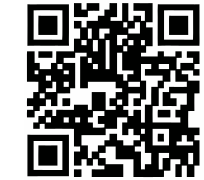
  • Scan code with your mobile phone.
  • Activate it online or from your Wells Fargo Mobile® app.
  • Call the toll-free phone number on the materials that came with your card.
  • Use your card with your PIN at any Wells Fargo ATM.

Once you have activated the card online or by phone, peel off the sticker and begin using your card right away. If activating using the ATM, remove the sticker before using the ATM. Destroy your old card and begin using your new card if applicable.

How long will it take to receive my card and my PIN?

You will receive a new or replacement card within 5 to 7 calendar days.

For new cards, if you didn't select a PIN when you requested your new card, you can expect to receive a system-generated PIN in the mail a couple of days after you receive your card.

For replacement cards, you can use your current PIN.

Getting help with my PIN

I don't know my PIN. What should I do?

You can bring your card and identification to your local Wells Fargo branch to reset your PIN and select a new one. Or, you can call the number on the back of your card to speak with a banker and a new system-generated PIN will be mailed to you.

I know my PIN. How can I change it?

If you know your current card PIN and want to change it, you have three options:

  1. Sign on to Wells Fargo Online® or your Wells Fargo Mobile® app, select Change your PIN from the Cards menu, and follow the directions.
  2. Visit a Wells Fargo ATM or branch — just be sure to have your card and identification with you.
  3. Call the phone number on the back of your card and follow the automated customer service options.

Using my card

How does my card work?

A Wells Fargo debit card is a contactless chip card allowing you to tap your card against a reader, in addition to inserting or swiping your card.

  • For purchases, just tap your card where you see the Contactless Symbol Contactless symbol shows a hand holding a chip over the indicator inside an oval outline.– it’s easy and faster than inserting or swiping your card.
  • At a Wells Fargo ATM, just tap your card and enter your PIN to get cash, view account balance, and more.

A Wells Fargo ATM card is a chip card allowing you to insert or swipe your card.

  • For purchases, just insert or swipe your card and enter your PIN.
  • At a Wells Fargo ATM, just insert your card and enter your PIN to get cash, view account balance, and more.

The chip provides added security when used at a chip-enabled merchant terminal or ATM and greater global acceptance. When you insert your card into a chip-enabled terminal, or when you tap your debit card at a merchant terminal or Wells Fargo ATM, a unique security code is generated. This makes it extremely difficult for anyone to reuse your information and better protects you against counterfeit card fraud.

Many countries have adopted chip technology and it is becoming the standard for card payments in the U.S. If a merchant or ATM has not yet adopted chip technology, your transaction will be processed using the magnetic stripe.

Learn more about the contactless card.

Tracking my card activity

How can I keep track of my card purchases?

  • Online and mobile banking provide you with access to your card activity and account information anytime, almost anywhere. You can view your card purchases, payments, ATM usage, and deposits.
  • Debit card alerts are available to stay informed of your card activity by enrolling in Wells Fargo Online and setting up alerts to track your purchases and ATM withdrawals.
  • My Spending Report provides you your own automated report online so you can view your card and other account activity by spending category.

Why hasn't a debit card purchase posted to my account?

Wells Fargo cannot post your debit card transaction until the merchant submits the transaction to us for payment. A few things to keep in mind:

  • Generally, debit card transactions post within 1 to 3 days of when you make the purchase. However, the timing of when a debit card transaction will post can vary from the very same day to several weeks later.
  • In rare circumstances such as using your debit card online to buy an item that is back-ordered, the merchant can submit the transaction up to several weeks later.
  • Because of this, it's important you keep track of your available account balance and pending card transactions, scheduled bill payments, checks written, and more, to ensure that you have adequate funds in your account to cover pending items.

How do I see what alerts are available and sign up for alerts for my card?

Sign on to Wells Fargo Online and access Manage Alerts. Select your debit card from the account list. Choose your alerts and delivery preferences – email, push notification, or text. You can add new alerts or change your notification preferences at your convenience.

Protecting my card

How does Wells Fargo help protect my card and account?

Wells Fargo helps you to protect your cards and accounts with:

  • Zero Liability protection: Your Wells Fargo Debit Card comes with Zero Liability protection at no extra cost. You will be reimbursed for promptly reported unauthorized card transactions. Visit the Security Center for resources that may help reduce your risk of fraud and identity theft.
  • Chip technology: Your card has chip technology that provides added security because it is extremely difficult to counterfeit or copy when used at a chip-enabled merchant terminal or ATM. Wells Fargo contactless debit cards come with chip technology. The chip on your card does not store any of your personal information.
  • 24/7 Fraud monitoring: We regularly review your accounts for unusual activity. If you receive an alert from us for potential suspicious card activity, review and respond promptly to verify the transactions. You do not need to enroll to receive this alert. 
  • Alerts: Stay informed of your card activity by enrolling in Wells Fargo Online, and setting up the debit card alerts to track card purchases and ATM withdrawals.

Learn more about debit card alerts.

Sign on to set up debit card activity alerts.

Debit Card Alerts – Wells Fargo

If I subscribe to debit card activity alerts, could I receive other types of alerts from Wells Fargo?

Yes. We regularly review accounts for unusual activity and may send you an alert asking you to verify a particular transaction. You do not need to enroll to receive this alert.

We may also notify you about changes to your debit card such as when your debit card has been added to a digital wallet or when your card is about to expire and you should confirm the shipping address for the new card.

Getting help when my card or identity is compromised

What do I do if I find a suspicious transaction on my account?

If you find a suspicious card transaction, call the number on the back of your card immediately. Your card comes with Zero Liability protection which means you will be reimbursed for promptly reported unauthorized card transactions, subject to certain conditions. We will investigate your claim. Please refer to the appropriate card terms and conditions for details regarding your responsibility to notify us of disputes within specific time frames. After reporting the suspicious transaction to us, you can track the status online by signing on and going to Dispute a Transaction under the Accounts tab.

What should I do if I am a victim of identity theft?

Contact us immediately at 1-800-869-3557. Find more about how to report identity theft. You can also learn more about keeping your account secure at the Security Center.

You sent me a replacement card due to a compromise. What should I do?

If you receive a replacement card:

Note: PIN may be required when activating your debit card. Use your current PIN. If you don't already have a PIN, it would have been mailed to you separately from your card.

  • Activate the replacement card right away. You can activate your card multiple ways: 
    • Scan code with your mobile phone.
    • Activate it online or from your Wells Fargo Mobile® app.
    • Call the toll-free phone number on the materials that came with your card.
    • Use your card with your PIN at any Wells Fargo ATM.
  • Destroy your old card and begin using your new card.
  • Notify merchants that directly bill your card about your new card number, new expiration date, and security code to ensure your payments continue as expected.
  • Monitor your account for any transactions you did not authorize and report them promptly to Wells Fargo to help protect your account.
  • You can add your card to a digital wallet to pay in stores, in apps, and online. When you pay with a Wells Fargo-supported digital wallet, your actual card number is replaced with a unique digital card number, which means businesses do not see or store your full card number. Read our Guide to digital wallets to learn more.

Personalizing my card

Can I customize the design of my debit card?

Yes, there are two easy ways to customize the look of your debit card.

  1. At a Wells Fargo branch: You can select from a catalog of images to place on your new or replacement card.
  2. Use the Card Design Studio® service to customize your debit card using your own image or select an image from our online library. Business debit card holders also can add their business logo and taglines.

For more information on personalizing your card, visit the Card Design Studio service.

Which cards can I customize?

If your card is available for customization, you will find it listed as Eligible on the Card Design Studio service page. If you are a Wells Fargo customer, you can use the Card Design Studio service as long as:

  • You have an eligible and activated personal debit card or business debit card. Cards not eligible for customization include Wells Fargo Private Bank Debit Cards, business deposit cards, and ATM cards.
  • Your accounts are in good standing.
  • You have access to your cards via Wells Fargo Online®.

Traveling and my card

Can I use my debit card overseas?

Yes, you can use your debit card while traveling outside the U.S. Please see your applicable Wells Fargo account agreement and your card terms and conditions to see the fees associated with using your card overseas.

Please note, it is highly recommended that:

  • You insert or tap your card to make a purchase when overseas. Chip cards, including contactless cards which come with a chip, have become the standard type of card used internationally, both for purchases and ATM access. Where you see the Contactless Symbol, you can insert your card or tap your contactless debit card. Note: Some overseas merchants do not support using the swipe feature for your card.
  • You have a four-digit PIN.
    • Most ATMs outside the U.S. require a four-digit numeric PIN.
    • If you have an alphabetic PIN, translate the letters into numbers before you travel.

See more travel tips.

Do I need to set travel plans when I travel?

With our enhanced security technology, you no longer need to let us know when you plan to travel.  Please make sure your contact information is up to date so we can let you know if we find any unusual activity.

How can I help avoid any unnecessary interruptions when using my card when I travel?

Make sure your card is ready to travel:

  • Confirm your contact information is up to date so we can contact you if we detect unusual activity.
  • Visit Turn Card On or Off to confirm international usage is turned on for your debit card if you will be traveling outside of the United States.
  • Know your card's daily limits for purchases and ATM cash withdrawals. Manage debit card limits in the Wells Fargo Mobile® app and in Wells Fargo Online®.
  • Ensure your card has a four digit PIN so you can access foreign ATMs.
  • Insert or tap your card to make contactless payments wherever you see the contactless symbol.

Travel tips

What do I do if I lose my card while traveling?

If your card is lost or stolen, you can report it online or sign on to your Wells Fargo Mobile® app to request a replacement card. You can also call us toll-free at 1-800-TO-WELLS (1-800-869-3557) for personal customers and 1-800-CALL-WELLS (1-800-225-5935) for small business customers. You may also visit a local Wells Fargo branch to speak with a banker. If you lose your card while traveling outside of the U.S., you can report it online or call us collect at 1-925-825-7600 for personal customers or 1-916-480-3190 for business customers and then follow the voice instructions.

Your replacement card will have a new card number and expiration date. Your card's PIN and ATM cash withdrawal and purchase daily dollar limits will remain the same.

If you have added your card to a digital wallet and you are in possession of your device (your device is not also lost or stolen), we will update your digital wallet with your new card information so that you can continue using your digital wallet while you wait for your new card to arrive.

If you report your lost card online, you can choose to send your replacement card to a temporary address which could be helpful while you are traveling.

See more travel tips.

What do I do if I have difficulty using an ATM in a foreign country?

If you have trouble using an ATM in a foreign country, it might be because you do not have a four-digit numeric PIN, or because you are using an ATM that is not in a network in which we participate. If you have a debit card, you can use non-Wells Fargo ATMs that display the Visa® or Plus® logos. If you have an ATM card, you can use ATMs that display the Plus® logo.

See more travel tips.

Are there fees associated with using my card overseas?

Please see your applicable Wells Fargo account agreement and your card terms and conditions to see the fees associated with using your card overseas.

See more travel tips.

Understanding your card's daily purchase and ATM cash withdrawal limits

What are the daily purchase and ATM cash withdrawal limits for my card?

There is a daily maximum limit on the dollar amount of the purchases you can make with your debit or ATM card. Your card also has a maximum limit on the dollar amount of cash withdrawals you can make. Your purchases and ATM withdrawals also are subject to the available balance in your account. We provide you your daily ATM withdrawal and purchase limits when you receive your Card. You can confirm or manage your card's daily limits by signing on to Wells Fargo Online or the Wells Fargo Mobile® app, or calling the number on the back of your card.

How do I change the daily ATM cash withdrawal and purchase daily dollar limits on my card?

  1. Sign on to the Manage Debit Card Limits feature in the Wells Fargo Mobile® app and in Wells Fargo Online® to view or adjust your dollar limits.
  2. Call the phone number on the back of your card and follow the automated customer service options.
  3. Talk to a banker at a Wells Fargo branch.

Paying bills and making purchases with my card

How can I pay bills using my debit card?

You can make one-time and recurring payments using your debit card. When you pay with your card, you can schedule a payment on a date you select. Contact your service providers to schedule one-time or recurring payments using your debit card and your card information.

How can I set up or cancel a scheduled payment or make a recurring payment using my debit card?

You can contact your service provider directly to schedule, cancel, or change a one-time or recurring payment. You will need your billing account and your debit card information to set up payments. Please view your card terms and conditions for additional important information about handling preauthorized payments.

What if I have a dispute with a merchant?

Call the number on the back of your card and we will investigate it. Please refer to the appropriate card terms and conditions for details regarding your responsibility to notify us of disputes within specific time frames.

For my business debit card, how do I take advantage of the Visa Purchase Security and Extended Warranty Protection?

Your Wells Fargo Business Debit Card comes with Visa services to help protect your purchases.

  • Visa Purchase Security: If eligible items you buy with your business debit card are lost, stolen, or accidentally damaged, they'll be replaced or repaired at no charge to you.
  • Visa Extended Warranty Protection: You can extend manufacturer's warranties, up to one additional year, on items you purchase with your card.

For more information, see Your Guide to Card Benefits for Visa Business Card (PDF).

Using my digital wallet

What do I need to use a digital wallet?

You need a mobile device (smartphone, smartwatch, tablet) with NFC (Near Field Communication) capability to enroll in a Wells Fargo-supported digital wallet. Currently, Wells Fargo supports Apple Pay®, Garmin PayTM, Google PayTM , and Samsung Pay. For more information, visit Guide to digital wallets to see how to add your cards via the Wells Fargo Mobile® app.

Are digital wallets safe and secure for making payments?

The security of your account information is a top priority. When you pay with a Wells Fargo-supported digital wallet, your actual card number is replaced with a unique digital card number, which means businesses do not see or store your full card number.

How can I use a digital wallet to access an ATM?

  • Contactless symbol shows a hand holding a chip over the indicator inside an oval outline.You can use a digital wallet instead of your physical Wells Fargo Debit Card to access Wells Fargo ATMs and participating non-Wells Fargo ATMs. Simply access your digital wallet and tap your mobile device near the Contactless Symbol on the ATM.
  • Get started by adding your Wells Fargo Debit Card to a digital wallet supported by Wells Fargo. (See Guide to digital wallets for instructions on how to add your card to a digital wallet.)

To use your mobile device at a Wells Fargo ATM:

  • Access your mobile device's digital wallet (with a PIN, pattern lock, fingerprint, or iris/face scan).
  • Hold your mobile device near the Contactless Symbol on the ATM.
  • Enter your card's PIN into the ATM when prompted, and then select and complete your transaction.

What if my device is lost or stolen?

If your device is lost or stolen, we recommend remotely disabling the cards from your digital wallet. We also recommend notifying your mobile carrier and calling the Wells Fargo number on the back of your card promptly. Mention that you added your card to your digital wallet so we can disable your card for use with your digital wallet. If you locate your device, you will need to add your card back to your digital wallet before making any purchases.

Using an ATM with my card

What types of transactions can I make at a Wells Fargo ATM?

You can get cash, transfer funds, check your balance, make deposits and more at more than 11,000 Wells Fargo ATMs.

What types of transactions can I make at a non-Wells Fargo ATM?

At non-Wells Fargo ATMs that display the Visa® or Plus® logos, you can withdraw cash, check balances, and transfer funds between your primary linked checking and savings accounts (depending on what the ATM operator supports). You can get cash in local currency at Visa® (and or ATM cards, Plus®) network ATMs outside the U.S.

Can I tap my contactless debit card to access a Wells Fargo ATM?

Yes, you can use a contactless debit card plus your PIN to tap for access at most Wells Fargo ATMs.

If you wish, you can insert your contactless debit card anytime for access at Wells Fargo and non-Wells Fargo ATMs that display the Visa® or Plus® logos.

Can I use my digital wallet to access a Wells Fargo ATM?

Yes, you can use a digital wallet instead of your physical Wells Fargo Debit Card to access most Wells Fargo ATMs. Simply open your digital wallet and tap your device near the Contactless Symbol on the ATM.

Business deposit card

For businesses, do you have an ATM card that employees can use to make ATM deposits for my business?

Yes, we offer a business deposit card which can be issued to employees who are not authorized signers on the business accounts. Business deposit cards can not be issued to sole proprietors. With this card, you can have your employee make deposits at Wells Fargo ATMs, but not perform any other ATM transactions. When the business deposit card is used to make an ATM deposit, account balances are neither displayed on the ATM screen nor printed on the ATM receipt. Neither the card nor the PIN provides the ability to transact online or at the Wells Fargo National Business Banking Center. A business deposit card can be used as part of customer authentication procedures to perform a deposit in a Wells Fargo branch. Business deposit cards can only be used at Wells Fargo ATMs.

Using my card and more

What are the fees associated with using my card?

You can see the fees associated with your card on your card terms and conditions.

Which accounts can I link to my debit or ATM card?

You can link your debit or ATM card to up to 22 accounts:

  • 5 Checking
  • 5 Savings
  • 5 Money Market Accounts
  • 5 Credit Cards
  • 2 Lines of Credit (Home equity lines only. Exception: Any Home Equity Line of Credit secured by property in New York or Texas are prohibited for linkage by state law).

To see your linked accounts:

  1. Sign on to Wells Fargo Online®.
  2. Click on the Card Details link for your card.
  3. Find which accounts are linked to your card.

How do I...?

  • Design my card?
  • Report my card lost or stolen?

Debit Cards

  • Personal debit card
  • Business debit card

Need more help?

  • Frequently asked questions

Call Us

Personal: 1-800-869-3557

Business: 1-800-225-5935

Mon - Sat: 7 am - 11 pm, Sun: 9 am - 10 pm

Eastern Time

Find a Location

Make an appointment

Give Us Feedback

Important Information and Footnotes

With Zero Liability protection, you will be reimbursed for promptly reported unauthorized card transactions, subject to certain conditions. Please see the applicable Wells Fargo account agreement or debit and ATM card terms and conditions for information on liability for unauthorized transactions.

Digital wallets may not be available on all devices. Your mobile carrier's message and data rates may apply.

Turning off your debit card is not a replacement for reporting your card lost or stolen. Contact us immediately if you believe that unauthorized transactions have been made. Turning your card off will not stop card transactions presented as recurring transactions or transactions using other cards linked to your deposit account. Posting refunds, reversals, and credit adjustments to your account will continue. Any digital card numbers linked to the card will also be turned off. Availability may be affected by your mobile carrier's coverage area. Your mobile carrier's message and data rates may apply.

To get a link to download the app to your mobile device, text 93557 with the message IPH for Apple or AND for Android. By texting IPH or AND to 93557, you agree to receive a one-time text message from Wells Fargo with a link to download the Wells Fargo Mobile® app. Availability may be affected by your mobile carrier's coverage area. Your mobile carrier's message and data rates may apply. Please refer to the Supported Browsers and Wells Fargo Mobile® app Requirements page for mobile OS details.

Sign-up may be required. Availability may be affected by your mobile carrier's coverage area. Your mobile carrier's message and data rates may apply.

The Contactless Symbol and Contactless Indicator are trademarks owned by and used with permission of EMVCo, LLC.

Available balance is the most current record we have about the funds that are available for your use or withdrawal. It includes all deposits and withdrawals that have been posted to your account, then adjusts for any holds on recent deposits and any pending transactions that are known to the Bank. This balance may not reflect all of your transactions, such as checks you have written or debit card transactions that have been approved but not yet submitted for payment by the merchant.

Wells Fargo reserves the right to accept or reject any artwork, images, or logos. For example, any third-party trademarks, copyrighted materials, or name, image, and likeness of any public figures will not be approved.

At this time, Wells Fargo cards cannot be used in Cuba or other sanctioned destinations as defined by U.S. Department of Treasury’s Office of Foreign Assets Control (OFAC). Please call the phone number on the back of your card if you have questions.

Your card’s daily ATM withdrawal limit is the maximum amount of cash you can withdraw each day from any combination of accessible accounts using your card, less any fees charged by the non-Wells Fargo ATM operator or third party, if applicable.

Must have an eligible debit or ATM card, and ability to change limits is subject to available balance in primary linked account and other factors. For security reasons there may be additional limits on the amount, number, or type of transactions you can make using your card, including the geographic location of the ATM or merchant. For additional information on card limits, please refer to your applicable terms and conditions available on wellsfargo.com/debit-card/terms-and-conditions. Availability may be affected by your mobile carrier's coverage area. Your mobile carrier's message and data rates may apply.

Non-Wells Fargo ATMs are ATMs that are not owned or operated by Wells Fargo or are not prominently branded with the Wells Fargo name and logo. Wells Fargo may charge a fee for each inquiry or transaction made at a non-Wells Fargo ATM. The non-Wells Fargo ATM operator or network may also charge a fee. Some ATM networks may not support access to linked savings accounts or balance transfers.

For more information about services through Visa for business debit cards, see Your Guide to Card Benefits for Visa Business Card (PDF).

For a list of compatible Apple Pay devices, see Apple Support.

When attempting to add your Wells Fargo card to Google Pay, your card may be added to your Google Payments account to be used on other Google properties. This could occur even if the process of adding your card to Google Pay is not successful. If you have questions regarding this or Google Pay, visit Google Support. Google Pay is available for select countries and bank partners.

Samsung Pay is only compatible with select cards, carriers, and Samsung devices. See the Samsung Support Page for compatibility information and merchant terminal limitations.

Digital wallet access is available at Wells Fargo ATMs and participating non-Wells Fargo ATMs for Wells Fargo Debit Cards in digital wallets. Message and data rates may apply. Some ATMs within secure locations may require a physical card for entry.

Certain devices are eligible to enable fingerprint sign-on. If you store multiple fingerprints on your device, including those of additional persons, those persons will also be able to access your Wells Fargo Mobile® app via fingerprint when fingerprint is enabled. Your mobile carrier's message and data rates may apply.

Only select devices are eligible to enable sign-on with facial recognition. If you have an identical twin, we recommend that you use username and password instead of facial recognition to sign on. Your mobile carrier’s message and data rates may apply.

The business deposit card and associated PIN can be used to make ATM deposits but no other ATM transactions and can only be linked to deposit accounts. The business deposit card can be issued to an Authorized Signer on the business accounts. It also can be issued to a non-Authorized Signer at the request of an Authorized Signer. The Card PIN cannot be used for authentication for phone or online access. A Business Deposit Card allows the cardholder to be authenticated to perform a deposit at a teller-line in branch as part of customer authentication procedures. Business deposit cards only are able to only receive printed receipts at ATMs. Issuance subject to bank qualifications. See the Business Account Fee and Information Schedule and Business Deposit Account Agreement for additional business account information.

Disclosures

  • Apple, the Apple logo, Apple Pay, Apple Watch, Face ID, iCloud Keychain, iPad, iPad Pro, iPhone, iTunes, Mac, Safari, and Touch ID are trademarks of Apple Inc., registered in the U.S. and other countries. Apple Wallet is a trademark of Apple Inc. App Store is a service mark of Apple Inc.

  • Android, Google Play, Chrome, Pixel and other marks are trademarks of Google LLC.

  • Garmin Pay is a trademark of Garmin Ltd.

  • Samsung, Samsung Pay, Galaxy S (and other device names), and Samsung Knox are trademarks or registered trademarks of Samsung Electronics Co., Ltd. Other company and product names mentioned may be trademarks of their respective owners.

  • Wells Fargo Bank, N.A. Member FDIC.

  • DT1-12172026-18-8128731-2.1

Checking and Savings Help
  • Privacy, Cookies, Security & Legal
  • Do Not Sell or Share My Personal Information
  • Notice of Data Collection
  • General Terms of Use
  • Report Fraud
  • Sitemap
  • About Wells Fargo
  • Careers
  • Inclusion and Accessibility
  • Home

© 1999 - 2026 Wells Fargo. NMLSR ID 399801